A manifest is the document that hands a batch of shipments off to your carrier. This guide explains what's in one and how to generate one for an order.
What's in a manifest
In shipping and orders, a manifest is a detailed document listing all the cargo being transported on a particular vessel, truck, or airplane. It typically includes:
- Description of goods: Details about the items being shipped, including quantities and weight.
- Shipper and consignee information: Names and addresses of the sender and recipient.
- Shipping method: Information about how the goods are being transported.
- Tracking numbers: Unique identifiers for each shipment or package.
- Customs information: Necessary details for international shipments, including tariffs and duties.
Generate a manifest for one order
Open Orders and select the Pickups panel.
- Search for the specific order you want to print a manifest for.
- Click the Print Manifest icon under Action.
Note: this might not be available for all shippers.
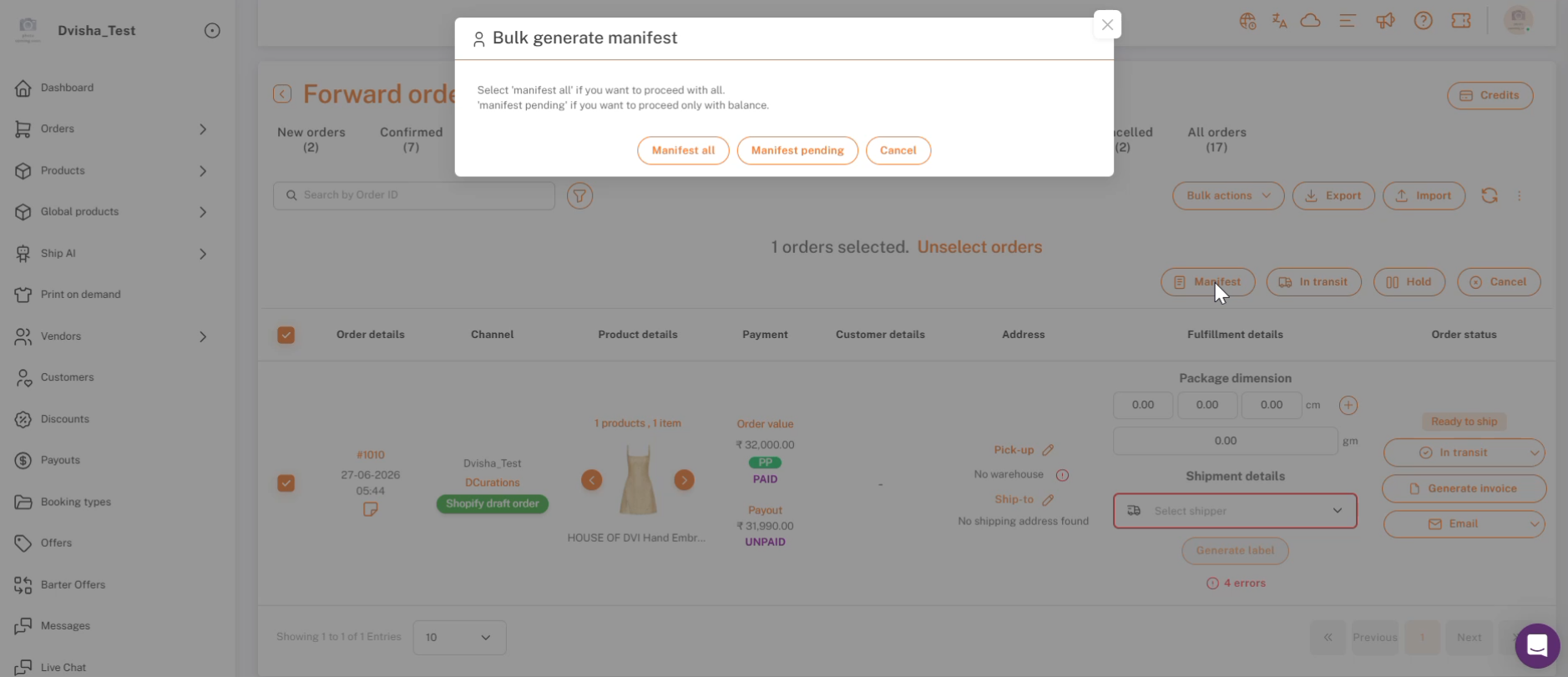
Ready to ship → Manifest — choose Manifest all or Manifest pending.
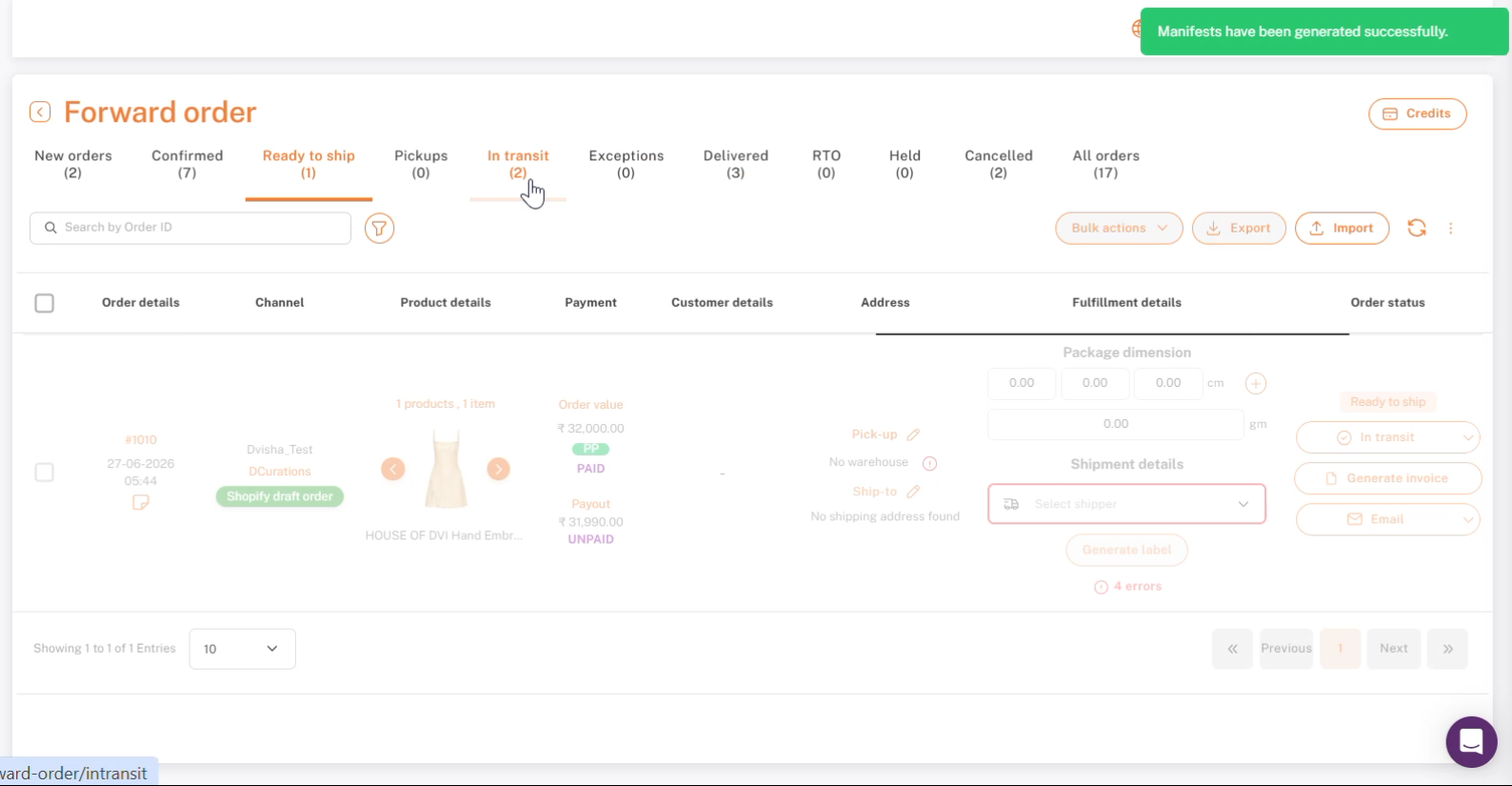
Manifests generated successfully.
Generating manifests in bulk
If you're handing off several orders at once rather than printing a manifest for a single order, you can manifest them together from the Ready to ship tab: select the orders, click Manifest, and choose Manifest all or Manifest pending. See Generate Picklists & Schedule Pickups for the full walkthrough.
If you're stuck, reach the Shipturtle team at team@shipturtle.com or open a ticket through the support page.