This article walks you through the latest updates to your ShipTurtle dashboard and settings. It covers key interface changes, renamed menus, updated user permissions, onboarding enhancements, and improvements across product, order, and sales channel configurations. Use this guide to quickly understand what has changed and how it impacts your daily workflow.
Menu
5 min read
Important Updates to Your ShipTurtle Settings and Dashboard
We have recently updated the ShipTurtle interface to make it more intuitive and easier to navigate. To help you get familiar with these changes, we have outlined every update below:
Navigation & Menu Renaming
- Multi-Vendor Settings has been renamed to Setup & Configuration.
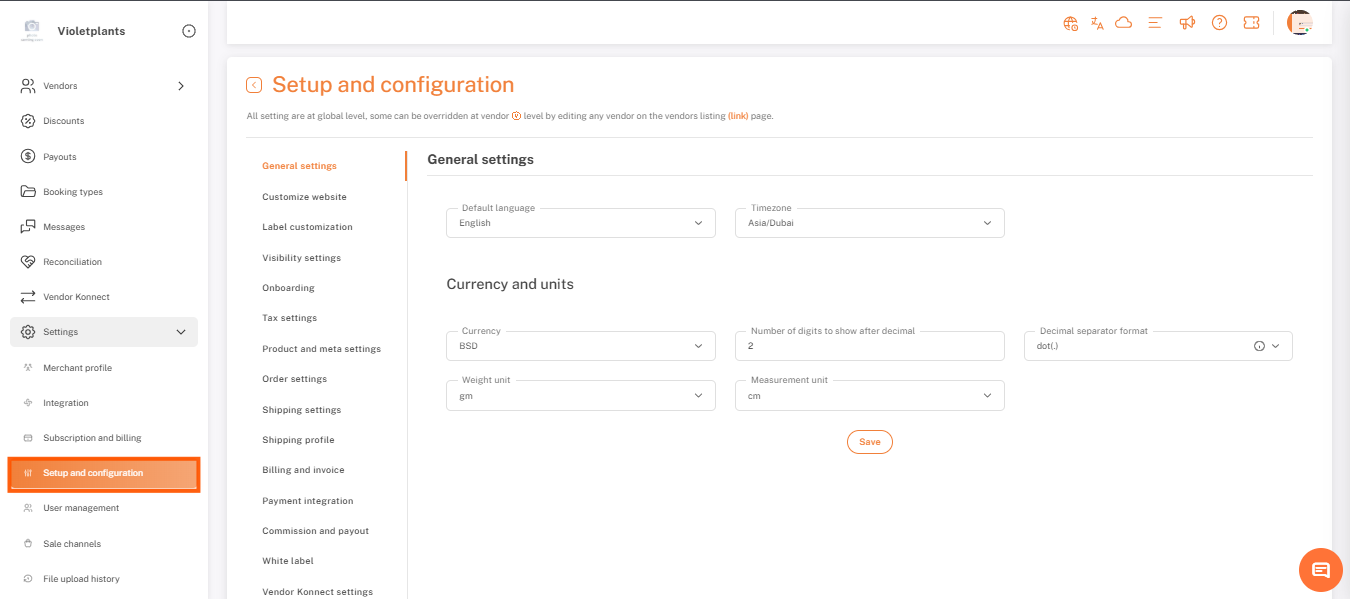
General Settings is now the first option found under the Setup & Configuration menu.
- Vendor Restrictions: Vendors can no longer see or edit "General Settings".
- Profile Clean-up: We have removed the Profile Image and Profile Name fields from the General Settings UI.
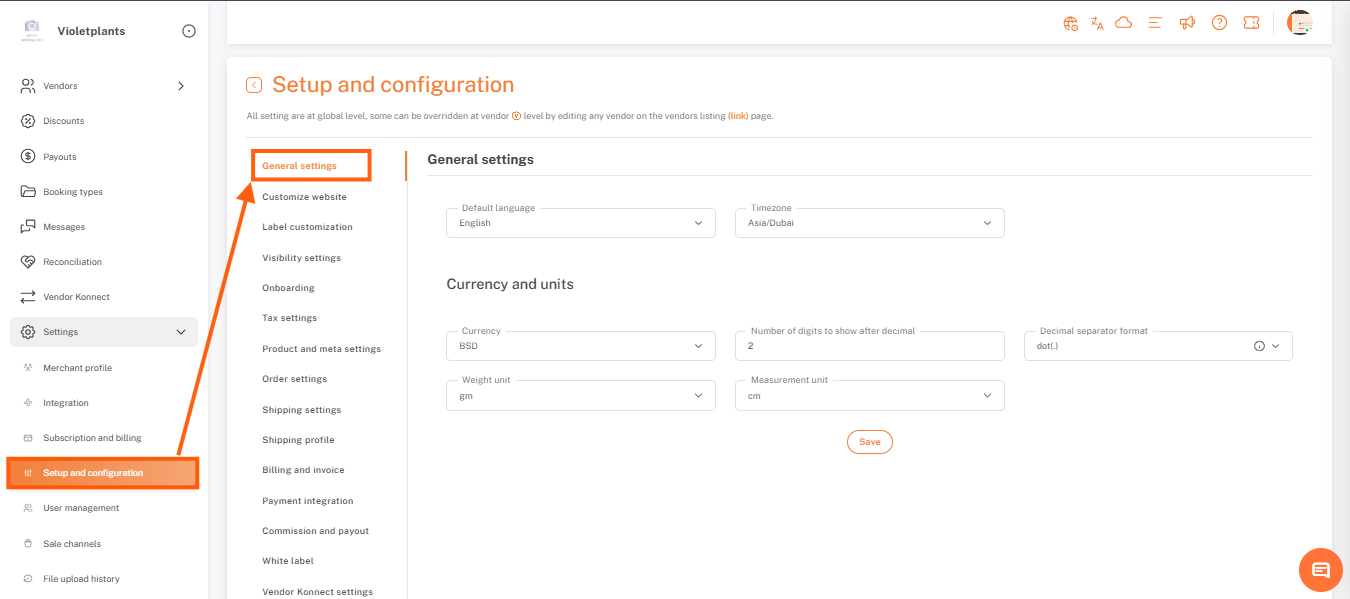
- Channels has been renamed to Vendor Konnect.
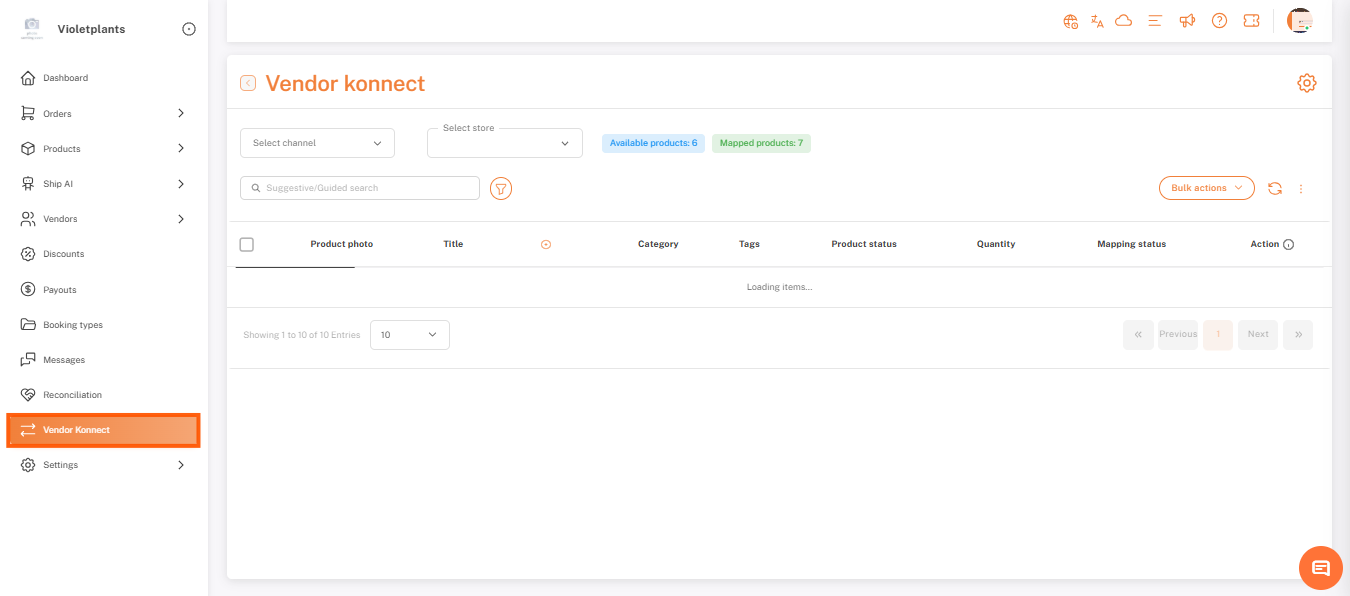
- Vendor shop sync settings has been renamed to Vendor Konnect Settings.
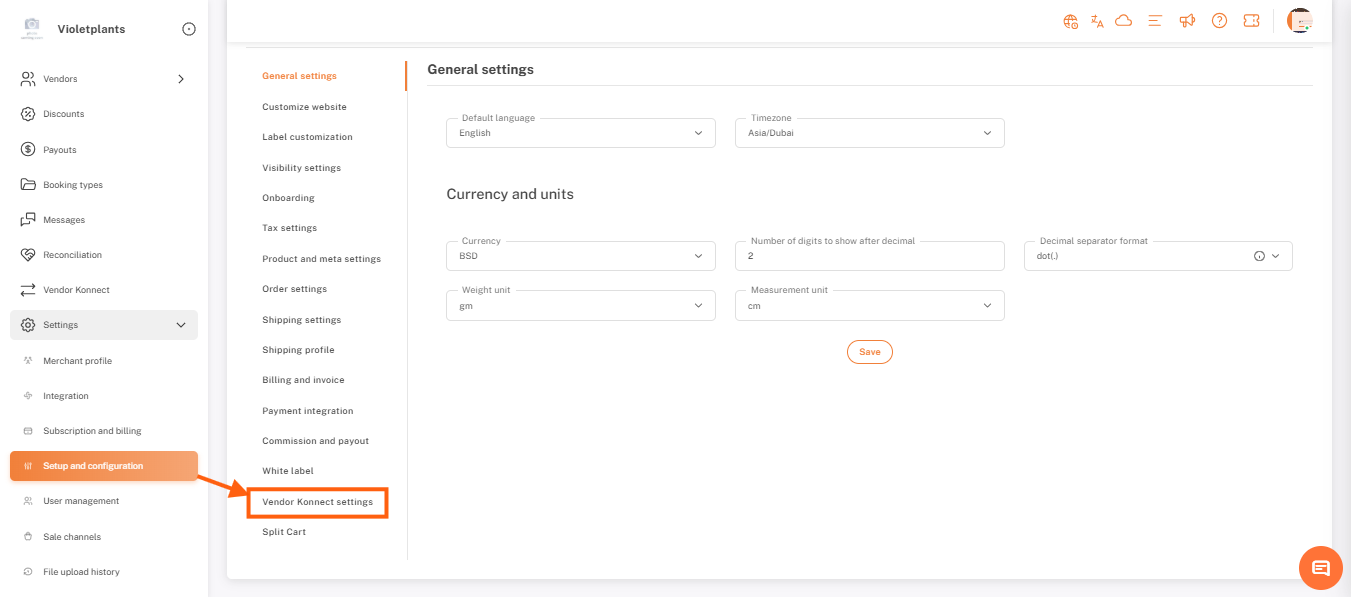
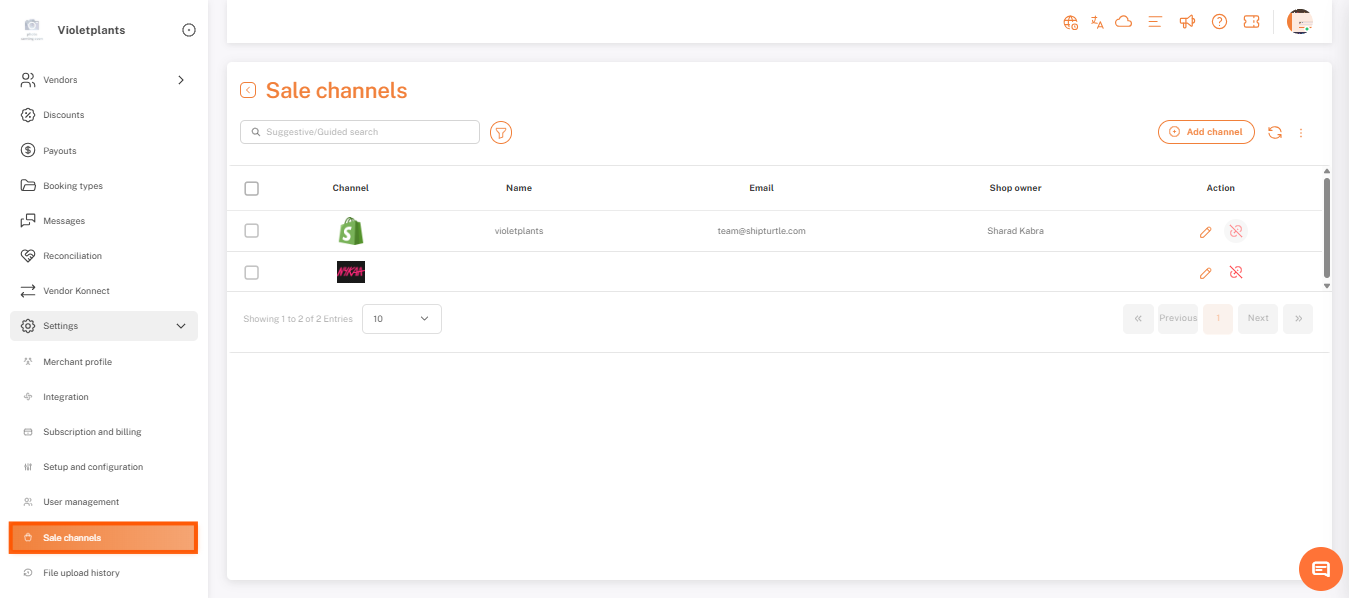
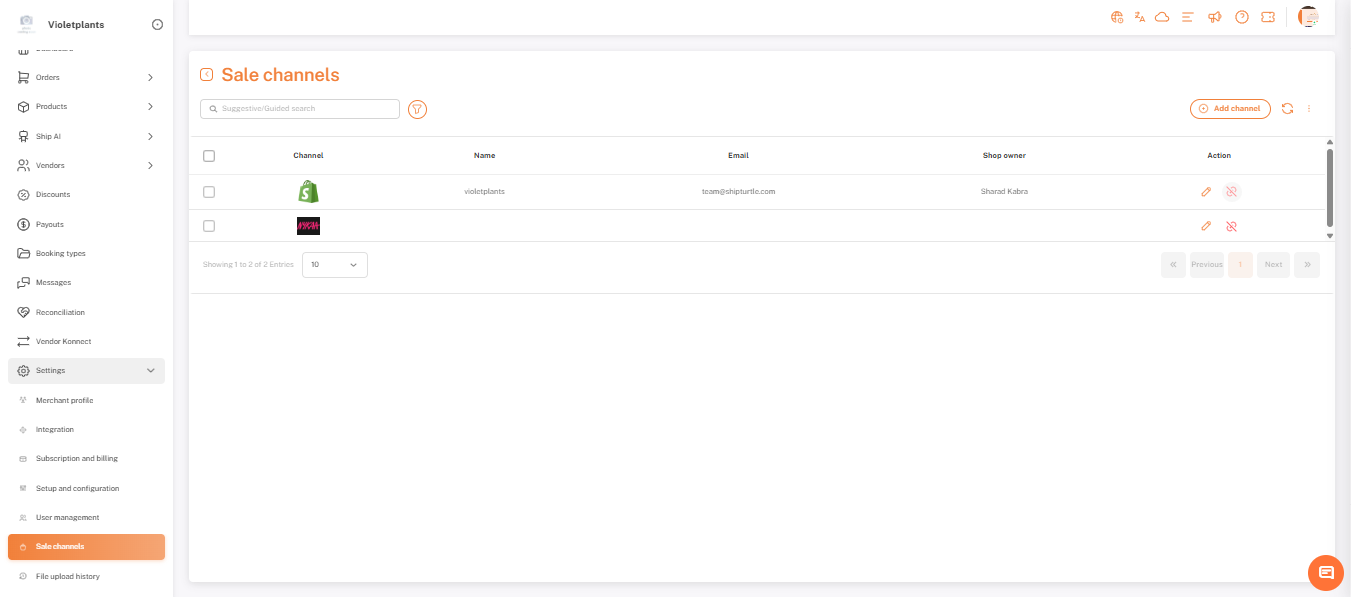
- Shop Settings has been renamed to Sale Channels.
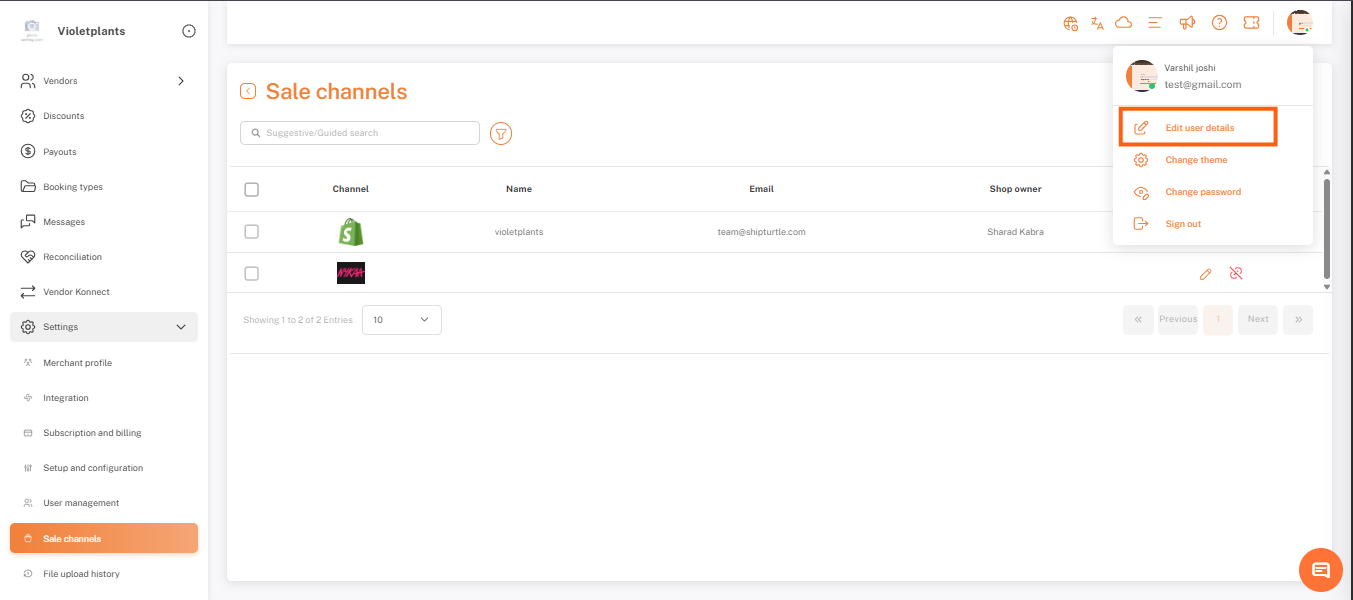
- Edit Profile (located in the top-right menu) is now named Edit User Details.
User Profile & Permissions
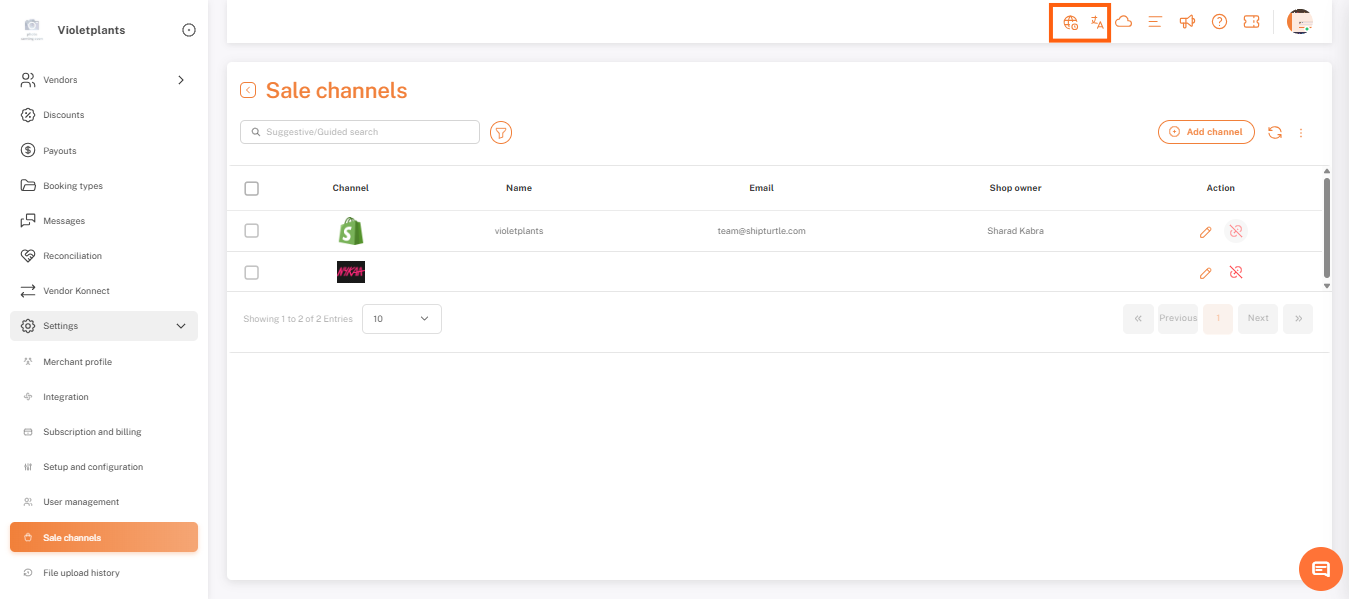
- User Information Placement: Time Zone and Language settings are now conveniently located in the top-right user profile section for both Merchants and Vendors.
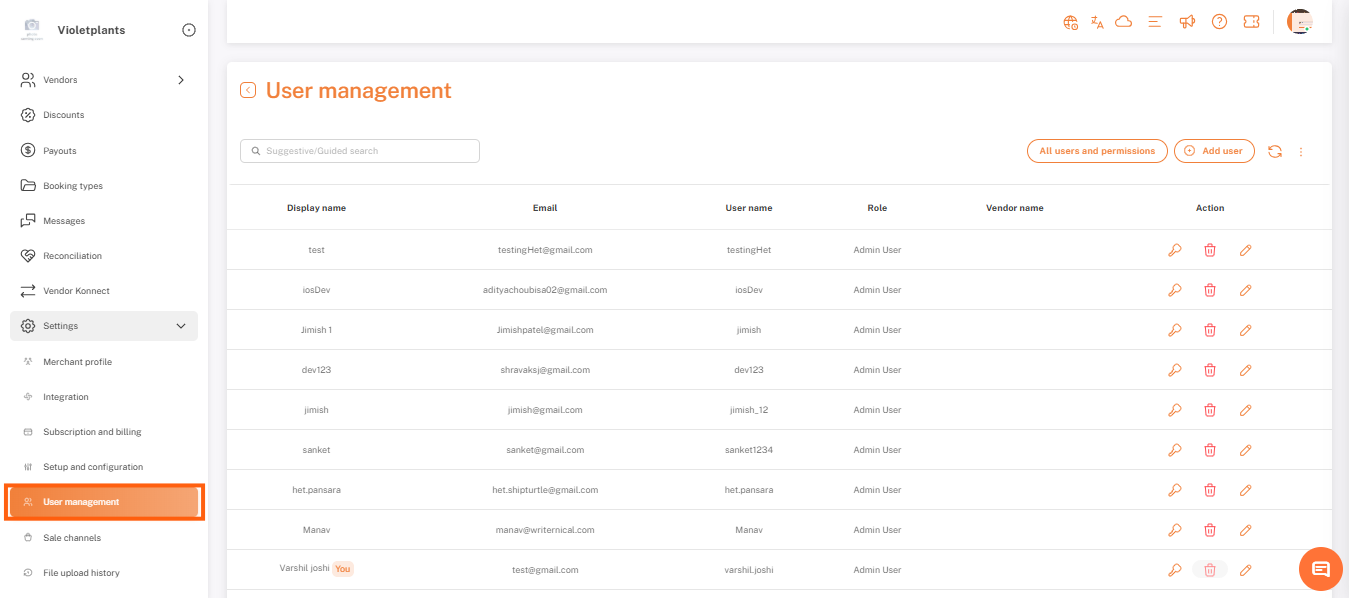
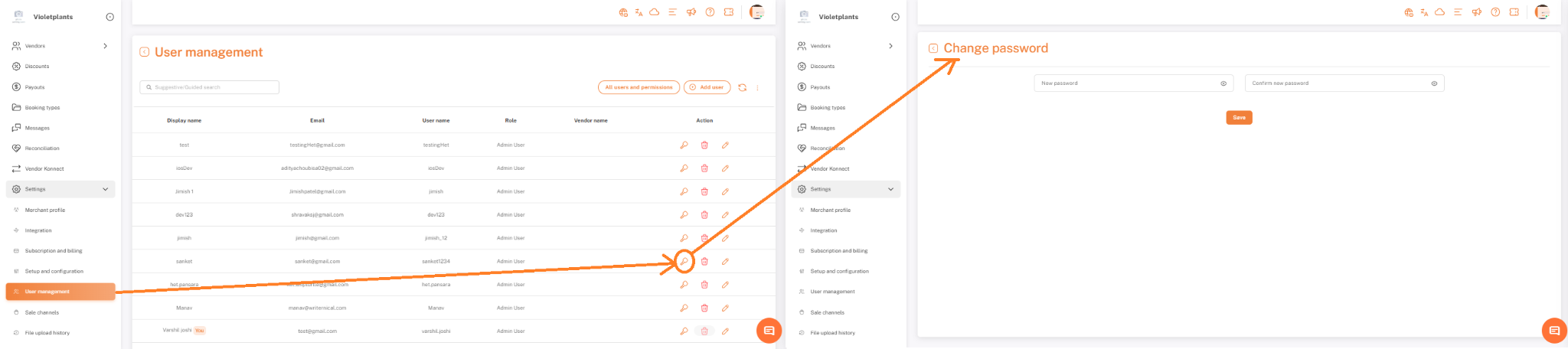
- User Management: The "User and Permissions" tab has been moved from the Merchant Profile and is now its own top-level menu named User Management.
- Password Changes: You can now only change your password via the top-right user menu. The option has been removed from General Settings.
Onboarding Updates
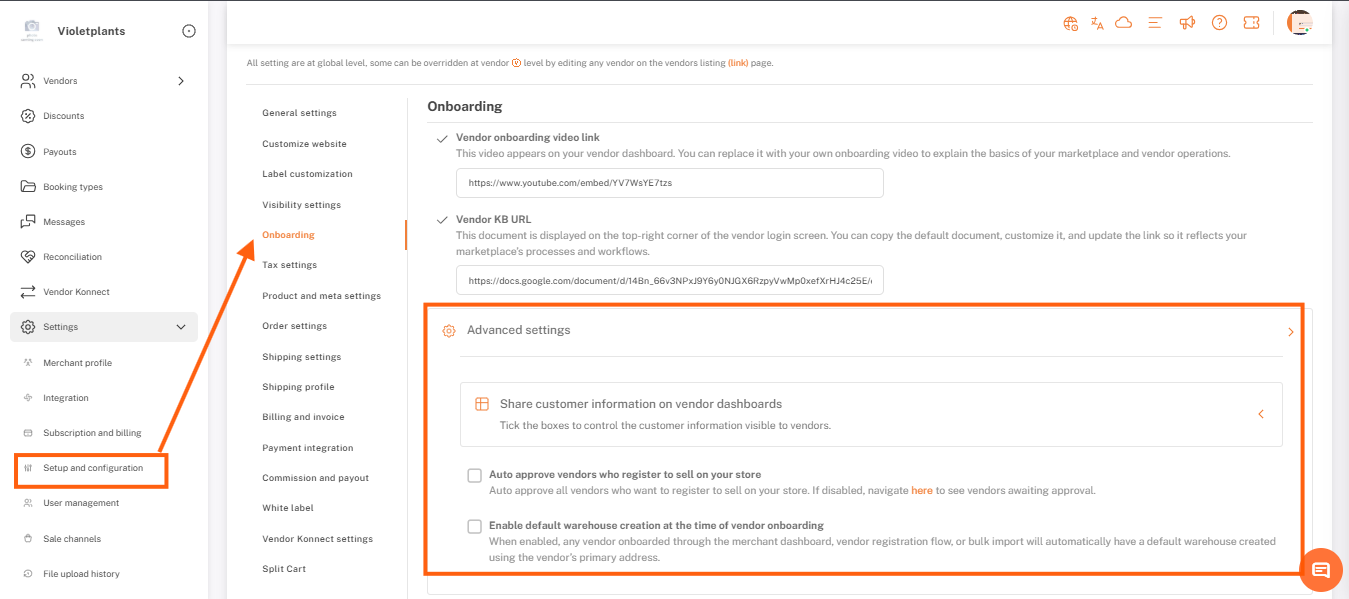
- Advanced Section: We created a new Advanced subsection within the Onboarding page for specific operational controls.
- Customer Information Table: The table for sharing customer data (Name, Phone, Email, Address) is now collapsible and hidden by default to keep your workspace clean.
- Default Warehouse Creation: The option to "Enable default warehouse creation at the time of vendor onboarding" is now enabled by default for all marketplaces.
Product & Meta Settings
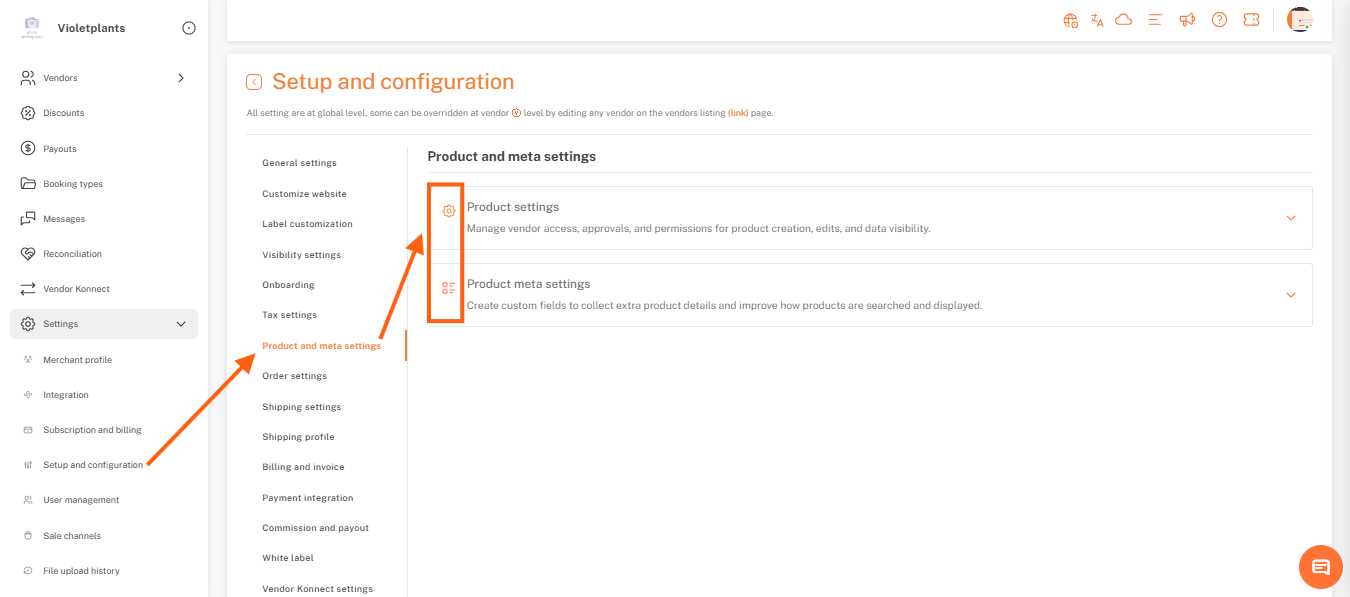
- Merged Settings: "Product Meta Settings" has been merged into Product Settings and renamed to Add Custom/Meta Product Fields.
- Collapsible Tables: All tables within Product Settings are now collapsible to save space.
- Auto-Approval Logic: If you uncheck all "Required Approval" options for a row, the "Auto approve product" setting will be checked and locked automatically.
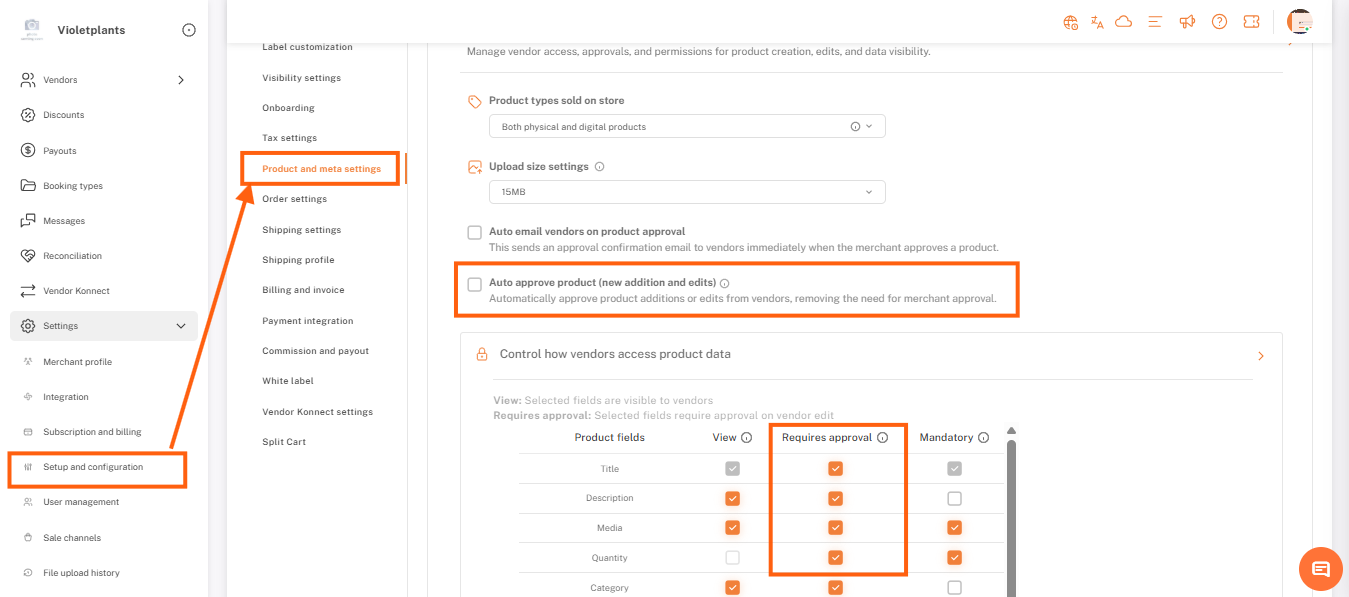
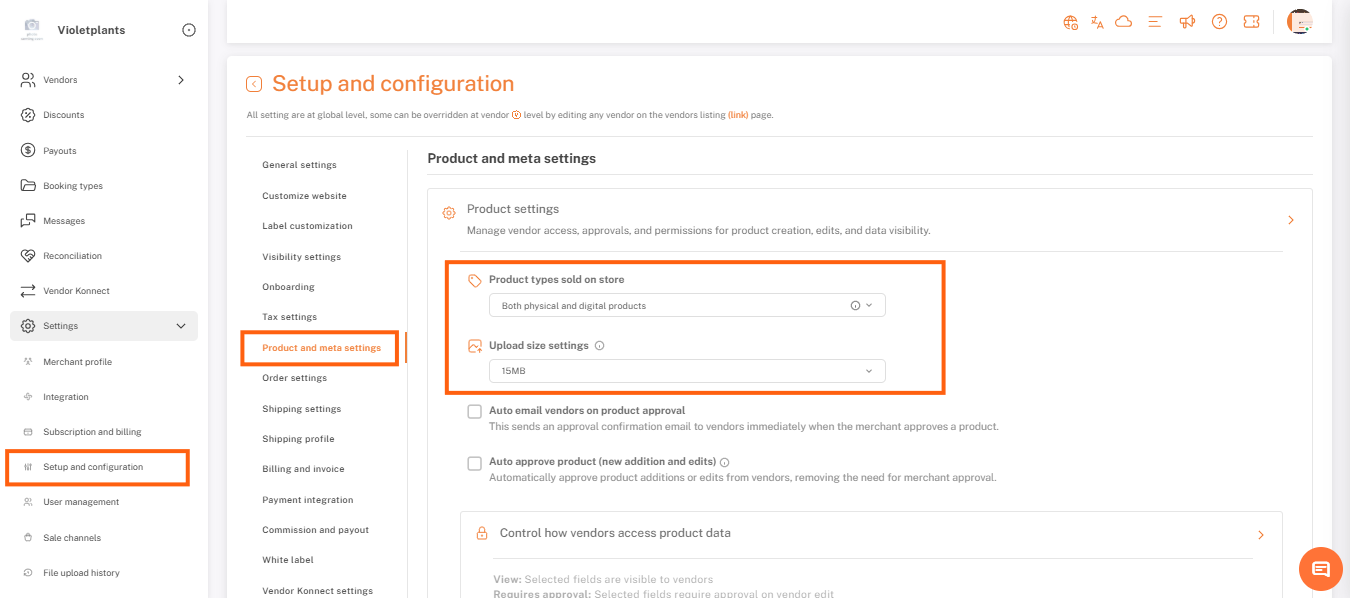
- Relocated Fields: "Product types Sold on Store" and "Upload Size Settings" have moved from General Settings to the Product Settings tab.
Order & Commission Settings
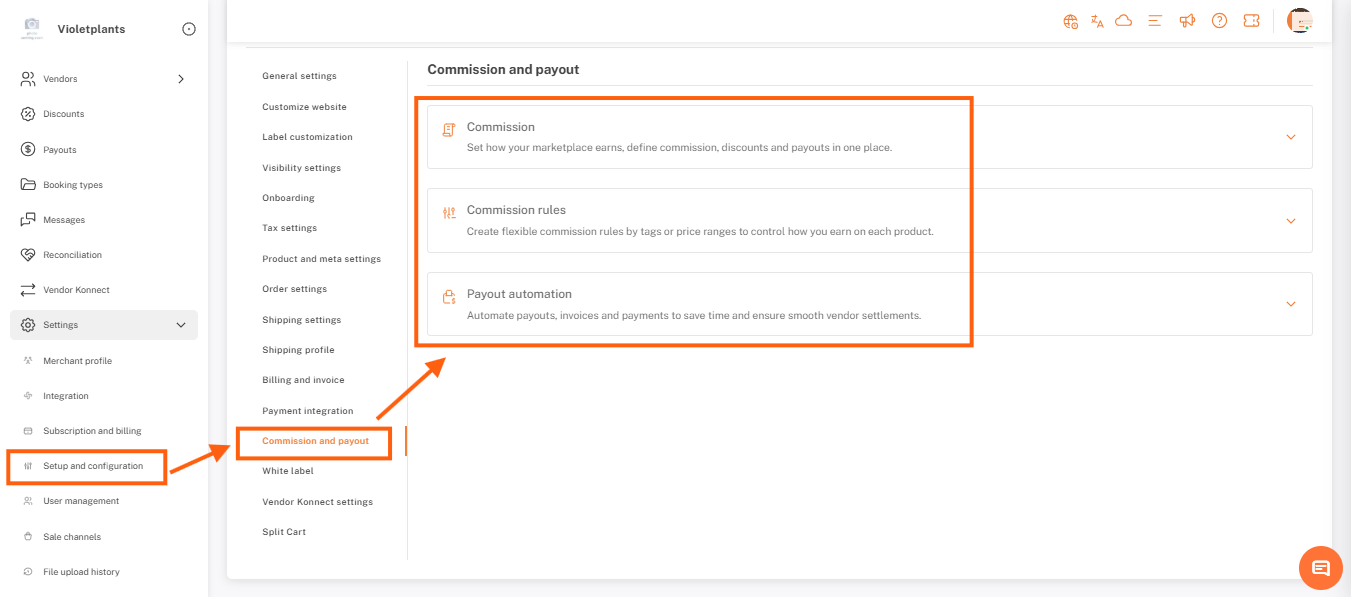
- Combined Sections: Commission, Commission Rules, and Payout sections are now combined into one single section called Commission & Payout.
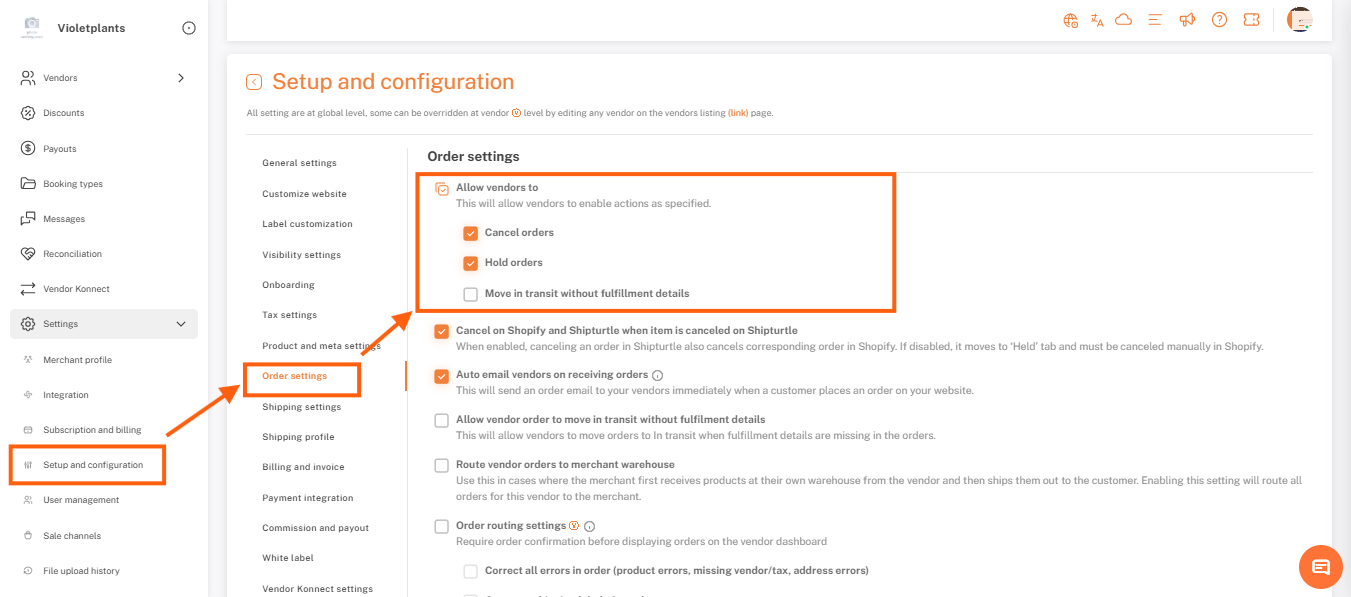
- Vendor Permissions: We created a dedicated section for vendor capabilities, including the ability to Cancel Orders, Hold Orders, and move orders to In-Transit without Fulfillment.
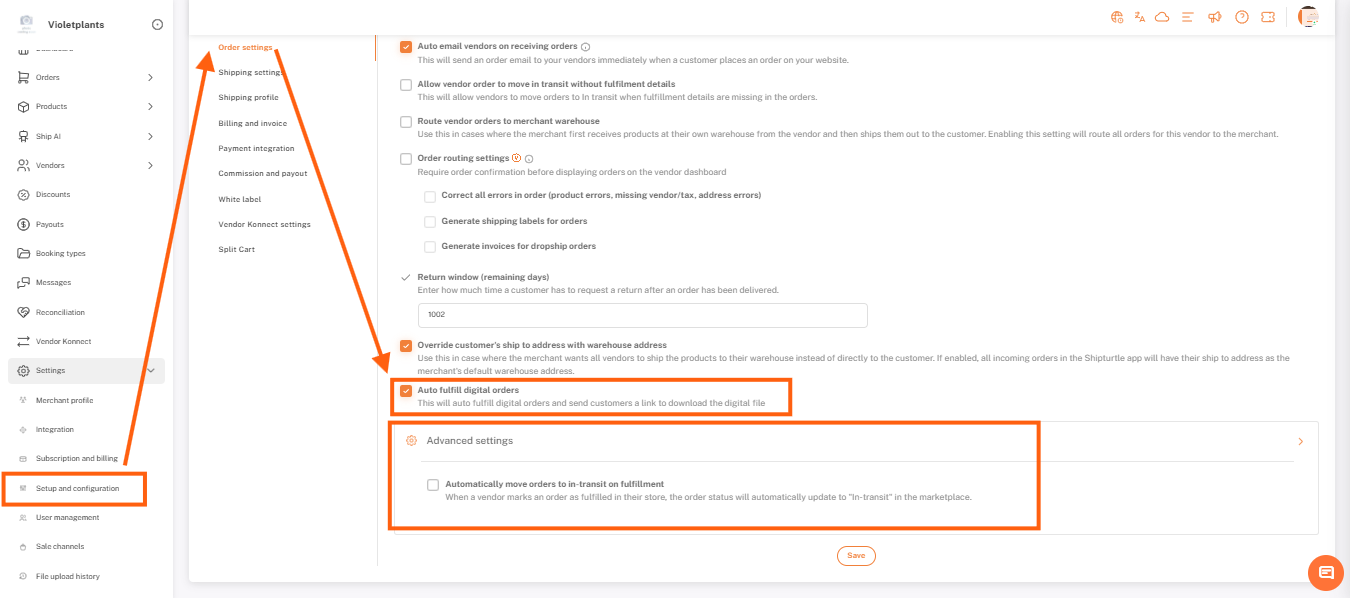
- Digital Orders: The "Auto fulfill digital orders" option has been moved to the very end of the Order Settings list.
- Order Movements: The option to "Automatically move orders to in-transit on fulfillment" has moved to Advanced Settings.
Sales Channel Management
- Disconnecting Channels: The "Delete" icon for sales channels has been replaced with a Disconnect action.
- Shopify Protection: Since Shopify is your default channel, the "Disconnect" option is now disabled for it to prevent accidental errors.
We hope these changes make your daily tasks smoother.
If you’re stuck, reach us at team@shipturtle.com or open a ticket on the support page.