Set up InstaPay as a payment gateway for vendor payouts in your Shipturtle marketplace
Overview
InstaPay is a real-time digital payment platform that enables fast, secure money transfers. By integrating InstaPay with Shipturtle, marketplace operators can streamline vendor payouts by transferring funds directly from the merchant account to vendor accounts — making the payout process efficient and automated.
In this guide, you'll learn:
- What InstaPay is and how it works with Shipturtle.
- How to enable the InstaPay add-on for your store.
- How to connect InstaPay to your Shipturtle marketplace.
- How vendors can connect their InstaPay accounts to receive payouts.
1. What is InstaPay?
InstaPay is a digital payment solution that facilitates instant fund transfers between accounts. When integrated with Shipturtle, it allows marketplace merchants to process vendor payouts seamlessly — ensuring that vendors receive their earnings quickly and reliably.
- Supports real-time payment transfers.
- Enables automated vendor payout processing through Shipturtle.
- Vendors receive payments directly into their InstaPay-linked accounts.
2. Enabling the InstaPay Add-on
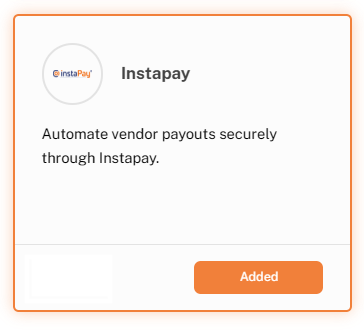
To use InstaPay on your Shipturtle marketplace, you must first purchase and activate the InstaPay add-on.
How to purchase the add-on
- Navigate to Settings → Billings & Subscription in your Shipturtle dashboard.
- Go to the 3rd Party Add-ons section.
- Locate InstaPay in the list of available add-ons.
- Purchase and enable the add-on for your store.
3. Connecting InstaPay to Your Marketplace
Once the add-on is active, you need to connect your merchant InstaPay account to Shipturtle. The integration is configured through the Payments section under Integrations in your Shipturtle settings.
How it works
- Navigate to Settings → Integrations in your Shipturtle dashboard.
- Open the Payments section.
- Select InstaPay as the payment gateway and enter your account credentials.
- Save the configuration to connect your InstaPay account.
For detailed setup assistance and to ensure your InstaPay credentials are configured correctly, please connect with your Shipturtle account manager. They can walk you through the complete integration process.
4. Vendor Configuration
For vendors to receive their marketplace payouts through InstaPay, they must add their InstaPay credentials to their vendor portal.
How vendors can set up InstaPay
- Log in to the vendor dashboard.
- Navigate to Settings → Vendor Profile → Payment Integration.
- Select InstaPay from the payment gateway options.
- Enter the required InstaPay account details and save.
Each vendor must add their correct InstaPay account details to enable payouts. If a vendor needs help with the setup, they should reach out to the marketplace admin or connect with their Shipturtle account manager.
5. Configuration Summary
To ensure your marketplace payments process correctly through InstaPay, verify the following:
- The InstaPay add-on is purchased and enabled in Billings & Subscription.
- The merchant has connected their InstaPay account through Settings → Integrations → Payments.
- Each vendor has added their InstaPay account details in their Vendor Profile → Payment Integration.
- If you need any help during the setup process, connect with your Shipturtle account manager for guided assistance.
FAQs & Troubleshooting
- Where do I find the InstaPay add-on?
Go to Settings → Billings & Subscription → 3rd Party Add-ons. InstaPay will be listed as one of the available payment gateway add-ons. - What credentials do I need to connect InstaPay?
You will typically need your InstaPay API key or access token. Refer to InstaPay's official documentation for instructions on generating your credentials, or connect with your Shipturtle account manager for guidance. - Can vendors use InstaPay if the merchant uses a different payment gateway?
No. The vendor payout method must match the payment gateway configured by the merchant. If the merchant enables InstaPay, vendors must also connect their InstaPay accounts.
Related Articles
- Introduction to Payouts
- Payment flow from customer to vendors
- Generate commission invoices and payouts
- Payout Automation
Need Help?
If you're stuck, contact the Shipturtle support team at team@shipturtle.com or raise a support ticket through the Shipturtle support page.